Camera Graph
Every scene. Live.
One canvas.
Camera Graph puts your whole show on an infinite canvas. Arrange your scenes, edit any one off-air, and cut live in one click.
230+ effects · 50 transitions · 4K60 recording · RTMP streaming
Completely free. No account. No watermark. No catch.
★ 4.9 on the Mac App Store · 10,000+ downloads
Like Figma, but every frame is live.
Your whole show, laid out where you can see it
Arrange your show
Drag scenes anywhere, lock the ones you want pinned, and Tidy Up the rest in one click.
Edit off-air
Click any scene to change it while another is live. Nobody sees a thing until you put it on air.
Move live sources
Drag a running camera or screen share into another scene. It never restarts.
Who it’s for
Loom, but make it cinematic.
Record polished walkthroughs, internal updates, and product demos with studio-grade effects. No production team required.
OBS called. You've moved on.
Scenes, transitions, RTMP streaming, MIDI triggers, and infinite screen customizations, all in one window, without wiring up plugins.
Demos that look like you hired a studio.
Turn product walkthroughs and sales calls into broadcast-quality presentations. Free, so your budget stays intact.
Reels that stop the scroll.
Layer filters, one-shots, and effects in realtime. Create vertical content that looks like it took a team to produce.
Photoshop for your webcam.
Glitch it, set it on fire, or blend reality with 230+ effects and one-shots.
Your ML models deserve a stage.
Preview CoreML models on live camera feeds, inject custom CSS into browser overlays, and test your vision models on a live feed.
What will you build?
 01
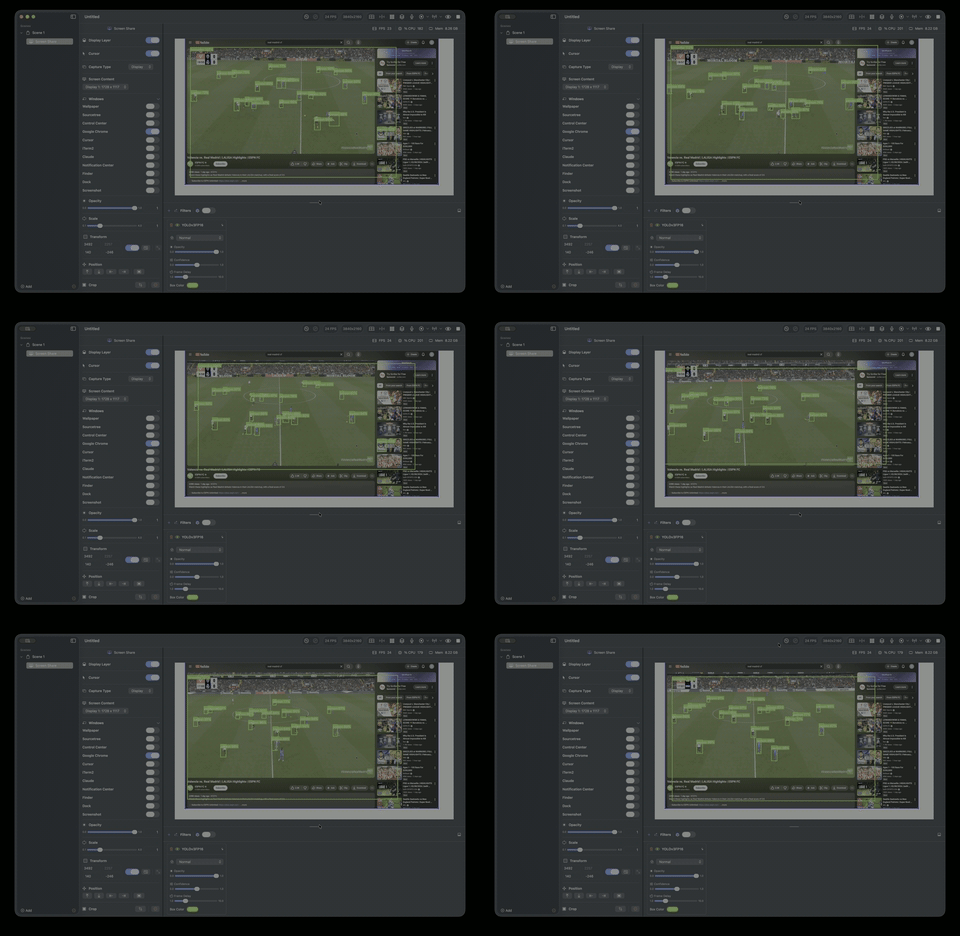
01Preview CoreML models
Load your own CoreML models or download from Hugging Face, then preview realtime inference on your camera feed
 02
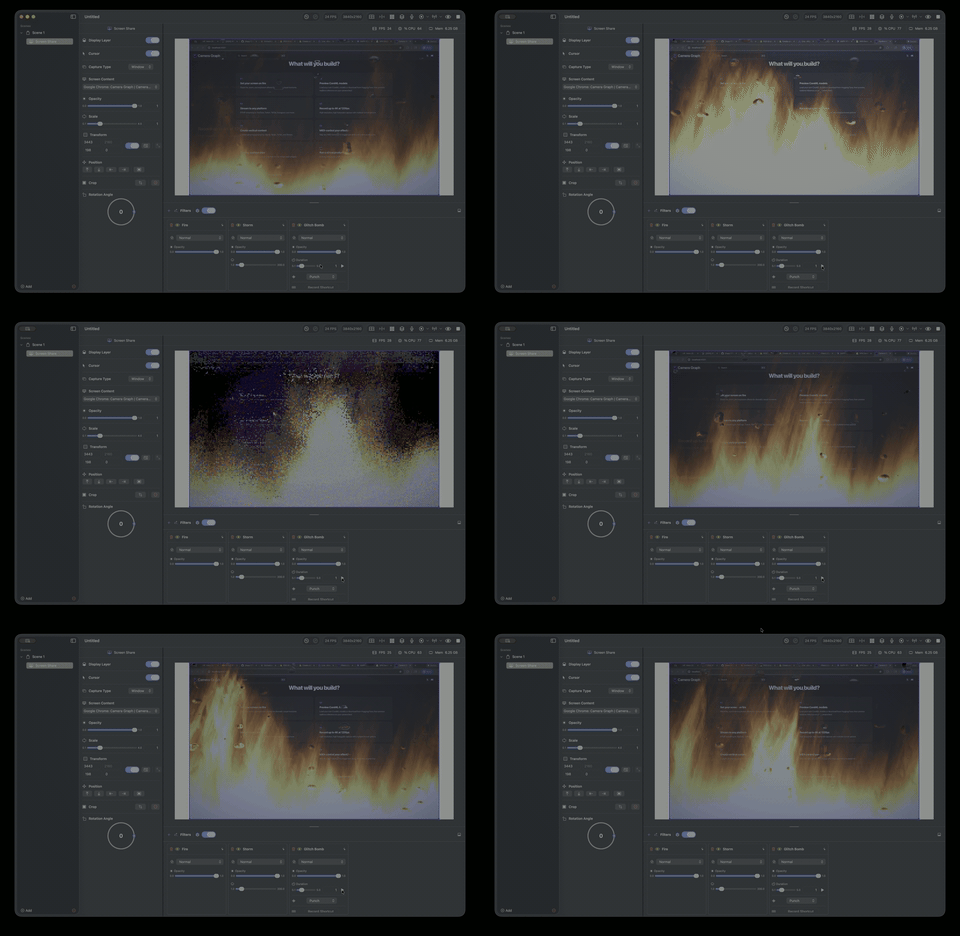
02Set your screen on fire
Stack fire, storm, and explosion effects for dramatic visual moments
Stream to any platform
RTMP streaming to YouTube, Twitch, TikTok, Instagram, and more
Record up to 4K60
H.264, HEVC, or ProRes, with your audio already mixed in, so there's no editing afterward
Create vertical content
Custom dimensions sized for Shorts, Reels, TikTok, and Stories
MIDI control your effects
Map any MIDI controller to fire one-shots and switch scenes live, without touching your keyboard
Overlay realtime data
Browser overlays with custom CSS injection for tickers and widgets
Run your whole show from one canvas
Every scene stays live on the canvas. Edit one off-air, cut to it in one click, and send the result to any app as a virtual camera
Remove or replace your background
No green screen needed. AI-powered segmentation, or chroma key when you have one
Automate with AI
Connect Claude or any MCP-compatible assistant to build scenes, apply filters, and control everything by voice or text
Everything included. Zero paywalls.
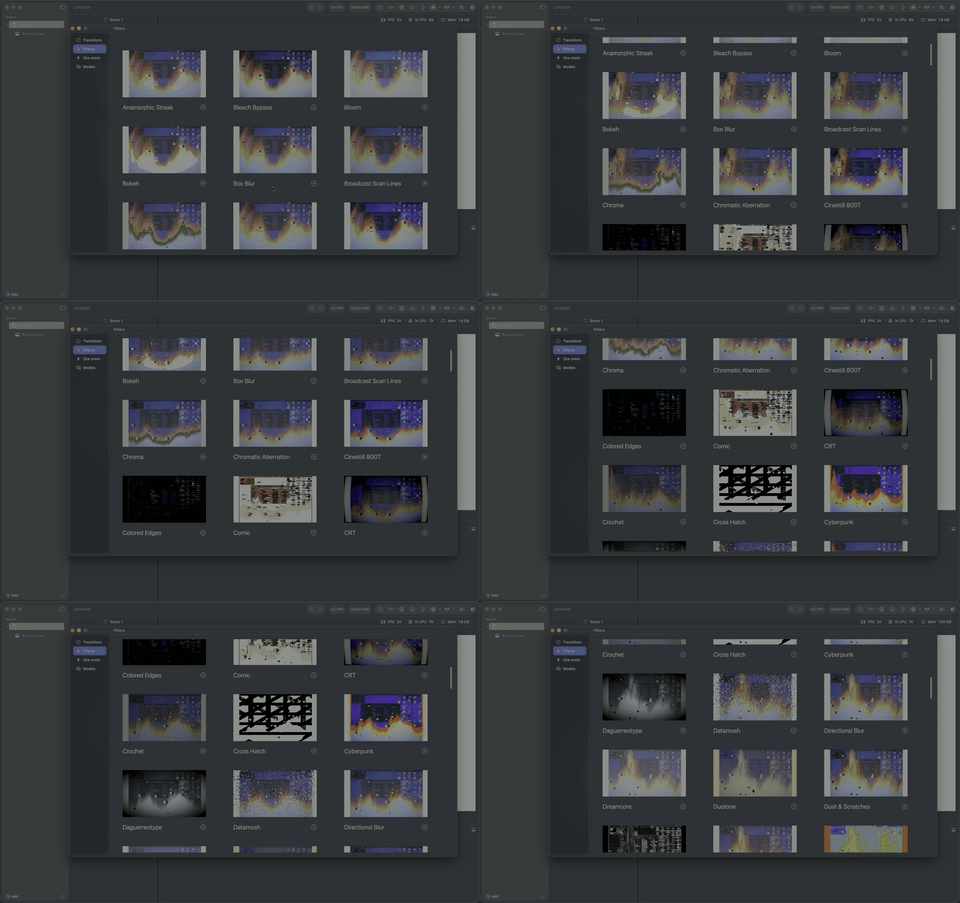
119 Realtime Effects
Film stocks, glitch, sci-fi, artistic, nature, and more. All GPU-accelerated
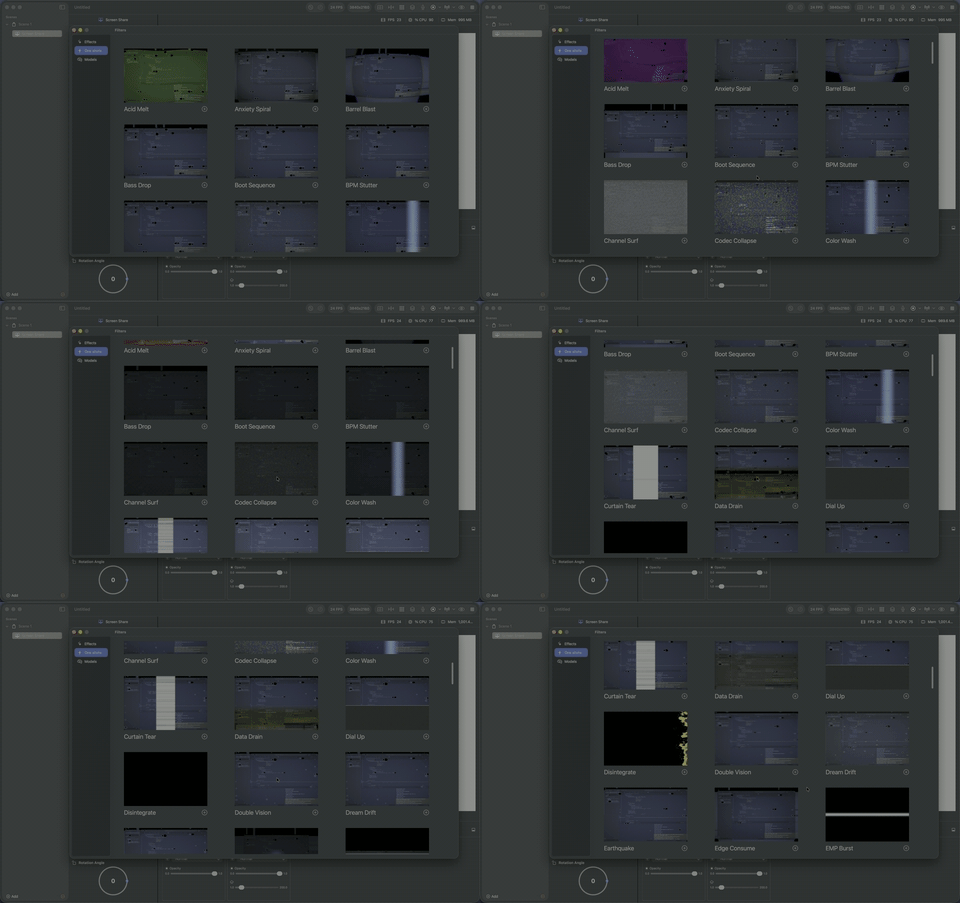
120 One-Shot Triggers
Single trigger effects for impacts, flashes, glitches, and dramatic moments
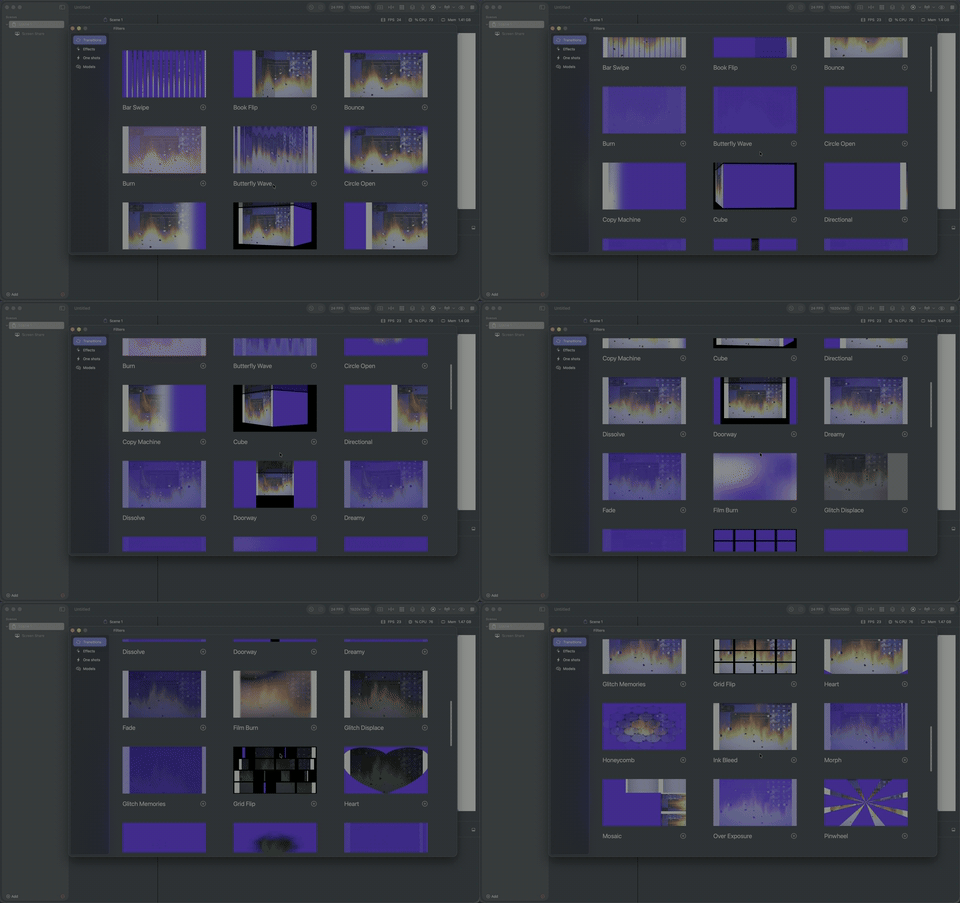
50 Scene Transitions
Cinematic transitions with timing control between scenes
Virtual Camera
Output to Zoom, Meet, FaceTime, or any app that accepts a camera
iOS Device Capture
Use your iPhone or iPad as a camera source over USB
Unlimited Sources
Mix cameras, iPhones, iPads, and app windows in one scene
Look like you have a crew. You have a Mac.

Free forever. No account, no watermark, no paywall.
Prefer a direct download? Get the .dmg (macOS 15+, Apple silicon) and update from inside the app.